
What’s in this article
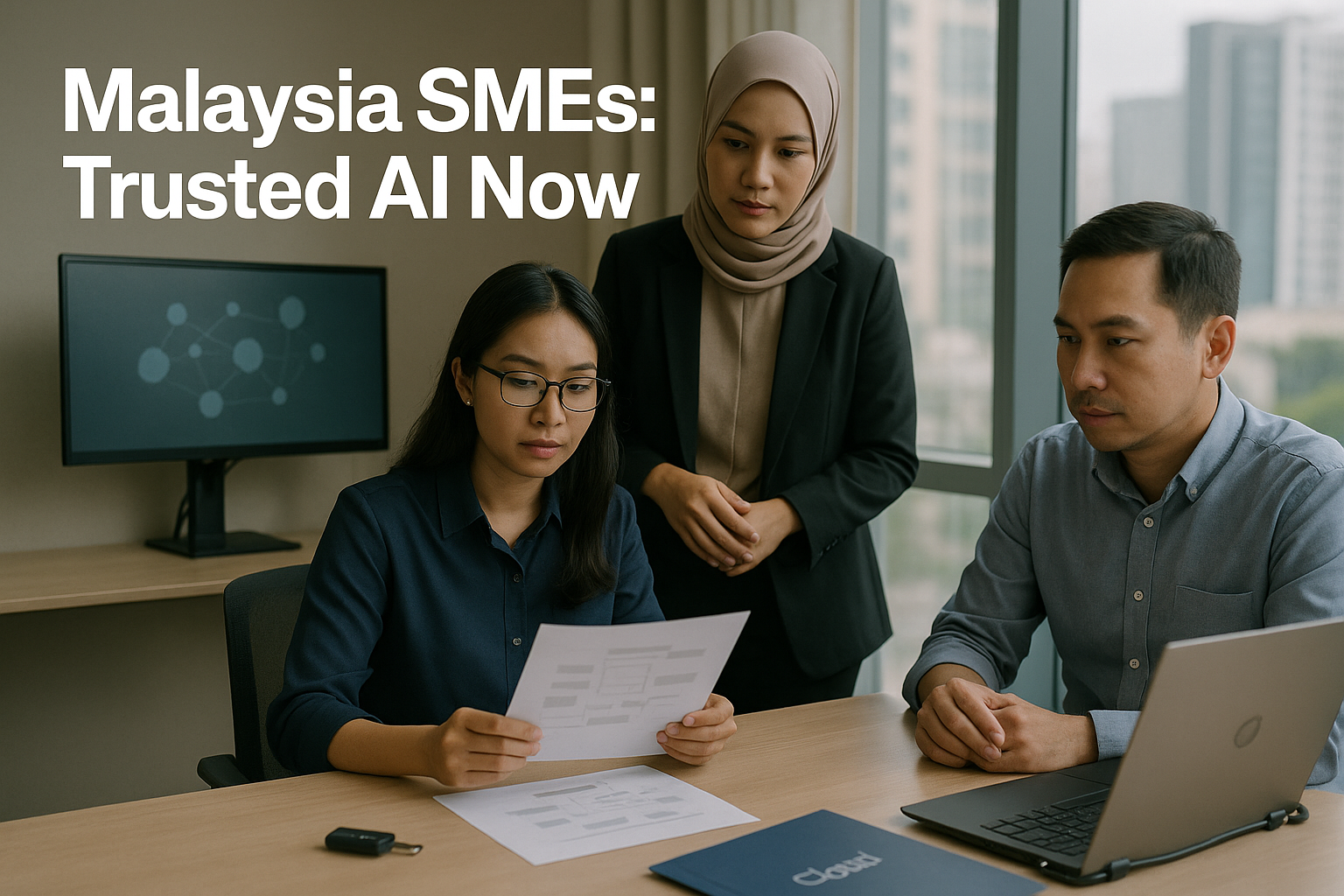
Malaysia AI Nation 2030 and the National AI Office (NAIO) signal a shift: AI expectations are moving from experimentation to “prove you can run this safely and consistently.” For SMEs selling to corporates, GLCs, and regulated buyers, the practical issue isn’t whether to use AI—it’s whether you can deploy it in customer support, sales, finance, and internal ops without creating avoidable data leakage, weak access control, or un-auditable processes. The next 90 days are your window to build measurable workflow wins and procurement-ready evidence: what data your AI touches, who can access it, how vendors are assessed, and where humans remain accountable. This guide lays out a department-by-department implementation roadmap you can execute now and defend later in tenders and security questionnaires.
What does “buyer-ready trusted AI” mean in practice for an SME (not a policy slogan)?
Most SMEs hear “trusted AI” and assume it’s a future compliance project. In procurement, it’s often more immediate and more practical: can you evidence that AI use won’t expose the buyer’s data, change your outputs without control, or break your own financial and operational integrity.
Think of buyer-ready trusted AI as three things you can show on request:
1) A clear AI use-case register (what you use AI for, and what you don’t)
Buyers want to know:
- Which workflows use AI (customer emails, proposal drafting, invoice follow-ups, month-end reconciliations, HR queries)
- Whether AI is used only to draft/summarise vs. to decide/approve/post
- What data types flow into the tool (client documents, personal data, pricing, internal financials)
Deliverable you can produce: AI Use-Case Register + Risk Rating (simple spreadsheet).
2) Basic data handling rules that staff follow consistently
Not “perfect policy.” Something usable:
- What data is prohibited from pasting into public AI tools
- When to use an approved internal tool vs. general tools
- How to redact or summarise before sending to AI
- How outputs must be reviewed before being sent to customers
Deliverable you can produce: 1–2 page AI Data Handling Standard + quick training.
3) Security and control basics around access, identity, and auditability
Buyers increasingly ask about:
- MFA, role-based access, and least privilege
- Logging and monitoring (who accessed which system)
- Vendor due diligence and data residency/processing disclosures
- Incident response: what you would do if data was exposed
Deliverable you can produce: AI Vendor Due Diligence Pack + Access Control Checklist.
This isn’t about claiming you are “certified” or “compliant.” It’s about being able to answer buyer questionnaires with real artifacts and predictable processes.
Which AI workflows should you prioritise first to show measurable results (and avoid risky “big bang” projects)?
A 90-day plan works when you pick workflows that are:
- High-volume and repetitive (time savings show up quickly)
- Low-to-medium risk data (you can control exposure)
- Easy to measure (so you can prove ROI)
- Easy to add human checkpoints (so accountability remains clear)
Below is a practical prioritisation map for Malaysian SMEs.
Customer support (fast wins, strong measurement)
Use-cases:
- Drafting first responses from your knowledge base
- Ticket summarisation and suggested next actions
- Multilingual tone adjustments (with human review)
Measurable outcomes:
- First response time
- Resolution time
- CSAT / complaint rate
- Ticket backlog
Guardrails:
- Don’t feed raw customer identity documents or sensitive attachments into non-approved tools
- Force “human send” for customer-facing replies (AI drafts; agent approves)
Sales operations (conversion and cycle time)
Use-cases:
- Lead qualification summaries from call notes
- Proposal/quotation first drafts using approved templates
- Account research summarisation (from public sources)
Measurable outcomes:
- Lead-to-meeting conversion
- Proposal turnaround time
- Win rate (directional, not attributable solely to AI)
Guardrails:
- Avoid pasting full client contracts or confidential RFP packs into general-purpose tools
- Maintain version control and approval for pricing and scope
Finance (ROI is real, but controls matter)
Use-cases:
- Drafting invoice reminders and payment follow-ups
- Statement reconciliation support (suggest matches)
- Expense classification suggestions (with review)
Measurable outcomes:
- DSO (days sales outstanding)
- Month-end close speed
- Error rates and rework
Guardrails:
- Separation of duties: AI can propose; humans approve/post
- Treat AI outputs as “suggestions,” not accounting evidence
Internal operations (productivity and standardisation)
Use-cases:
- SOP drafting and updates from process notes
- Meeting notes and action tracking
- Internal Q&A bot over approved documents
Measurable outcomes:
- Time spent searching for information
- Cycle time for standard tasks (onboarding, approvals)
Guardrails:
- Limit the knowledge base to approved, current documents
- Track what documents were used and when they were last reviewed
If you need a simple rule: start where AI can draft, summarise, or classify—avoid letting it approve, post, or decide in the first 90 days.
How do you run a 90-day rollout without turning AI into a side project that dies after the pilot?
Treat AI like an operating change, not a tool rollout. That means owners, metrics, and controls from day one.
The minimum operating model (small, realistic)
Assign four roles—one person can hold more than one role in a small SME:
- Business Owner (Sponsor): sets priorities, resolves trade-offs, approves scope
- Process Owner(s): Head of CS / Sales Ops / Finance Manager (owns workflow design and KPIs)
- System Owner (IT or appointed admin): manages access, connectors, vendor settings, logging
- Risk/Compliance Owner (can be Finance/HR lead): maintains the AI register, vendor pack, training record
Set success metrics before you configure tools
Pick 1–2 metrics per department. Examples:
- Support: first response time, reopen rate
- Sales: proposal turnaround time, meeting booked rate
- Finance: DSO, month-end close days
- Ops: cycle time for onboarding or procurement
Define “pilot to production” gates
A common failure is running a pilot in a chat tool and never operationalising it. Use gates:
- Pilot: limited users, no sensitive data, manual copy/paste only
- Controlled rollout: approved tool, MFA, basic logging, written prompt rules, templates
- Production: connectors enabled (if needed), access roles defined, vendor pack complete, recurring review cadence
Keep the workflow design simple
Your first version should include:
- Inputs allowed (what data types)
- Output use (draft only vs. decision)
- Human checkpoint (who reviews)
- Where the record is saved (CRM, helpdesk, accounting system)
- Exception handling (what to do when AI is unsure)
This structure is also what buyers look for when they ask, “How do you control AI use in your operations?”
What should happen in Days 0–30 (foundation): controls first, then quick wins?
Days 0–30 should produce two things: (1) measurable early wins in low-risk workflows, and (2) basic artifacts you can reuse for buyer questionnaires.
Week 1: scope, owners, and the “AI use-case register”
Owner: Sponsor + Process Owners
Deliverables:
- AI Use-Case Register (initial 8–15 use-cases)
- Risk rating per use-case (Low/Medium/High) based on data sensitivity + whether AI influences decisions
- KPI baseline (current response times, DSO, close speed)
Practical rule for risk rating:
- High if it touches identity documents, payroll/HR personal data, client confidential files, or if AI output triggers approvals/posting
- Medium if it includes customer communications or internal financial summaries
- Low if it uses public info or internal SOP templates
Week 2: adopt a simple data classification and minimisation habit
Owner: Risk/Compliance Owner
You don’t need a perfect enterprise taxonomy. Use four buckets:
- Public
- Internal
- Confidential (commercial)
- Personal data
Deliverables:
- “What not to paste into AI” one-pager
- Redaction guidance (remove NRIC/passport, bank details, full addresses, attachments)
- Retention habit: where prompts/outputs are stored, and for how long (practical, not legal conclusions)
Week 3: identity and access basics for AI tools and connectors
Owner: System Owner
Deliverables:
- MFA enabled for AI tool accounts and email/CRM/admin accounts
- Role-based access: who can use which AI features
- Least privilege: only connect AI to systems if needed; start without connectors
- Logging enabled where available (admin activity, sign-ins)
Week 4: launch 1–2 quick-win workflows with templates
Owner: Process Owners
Examples of controlled quick wins:
- Support: AI draft replies using an approved macro library; agent approves and sends
- Sales: AI drafts proposals using a standard scope template; manager approves pricing
- Finance: AI drafts payment reminder sequences; finance reviews before sending
Deliverables:
- Templates + “approved prompts” for each workflow
- Training attendance record (short session is fine)
- Early KPI movement (even directional)
By Day 30, you should be able to show a buyer: “Here are our AI use-cases, the data rules staff follow, and how access is controlled.”
What should happen in Days 31–60 (department-by-department): how do you redesign workflows so AI doesn’t break accountability?
Days 31–60 is where SMEs either professionalise AI or accidentally create shadow processes.
Customer support: build an AI-assisted service desk workflow
Owner: Head of CS / Ops
Implementation steps:
- Create an “approved knowledge set” (FAQs, policies, product sheets) with version dates
- Define response categories (billing, delivery, technical, returns)
- For each category, build an AI prompt + required fields (customer ID masked, order number partial)
- Add a mandatory human review step for external replies
- Create escalation rules (refund requests, legal threats, data requests)
Controls that buyers care about:
- Knowledge base governance (who updates it)
- Audit trail for customer responses (stored in helpdesk)
- Sensitive request handling (don’t let AI improvise)
Sales: standardise proposal drafting and qualification notes
Owner: Sales Ops / Commercial Lead
Implementation steps:
- Lock your sales templates: scope, assumptions, exclusions, service levels
- Create AI prompts for: meeting summary → CRM update; proposal draft → manager review
- Put pricing behind an approval matrix (even if simple)
- Store final proposals in a controlled location with versioning
Controls that matter:
- Prevent “off-template promises” by requiring manager approval for certain clauses
- Keep a record of what was sent and approved
Finance: use AI to speed up O2C and close—without letting it post entries
Owner: Finance Manager
High-value workflows (with separation of duties):
- O2C (Order-to-Cash): draft invoice emails, follow-ups, dispute summaries
- Collections: draft payment plans and reminders, generate call scripts
- Close support: suggest reconciliations, summarise variances for review
Non-negotiable checkpoints:
- AI drafts do not equal approvals
- Posting to accounting systems remains a human responsibility under your approval matrix
- Changes to vendor bank details, payment instructions, or credit notes require explicit verification
Deliverables:
- Updated approval matrix showing where AI is used (draft/recommend) and where humans approve/post
- Exception list: scenarios that must bypass AI (bank changes, refunds, sensitive disputes)
Internal ops: reduce “search and chase” work
Owner: Operations Lead / HR
Implementation steps:
- Identify top 20 recurring internal questions (leave policy, claims, onboarding, SOPs)
- Build an internal knowledge hub using approved documents only
- Add feedback loops (“Was this answer correct?”) to improve documents, not just the bot
Control to keep it safe:
- Restrict who can add documents
- Quarterly review of the knowledge set
By Day 60, your deliverables should be workflow-specific: templates, prompts, approval steps, and where records live. This is what turns AI from experimentation into operating capability.

What should happen in Days 61–90 (production readiness): how do you become procurement-ready for NAIO-aligned expectations?
Days 61–90 is about making your AI use defensible to buyers—without pretending you have enterprise compliance.
1) Build a vendor due diligence pack you can reuse in tenders
Owner: System Owner + Risk/Compliance Owner
Your pack should include:
- Vendor list: AI tools used (chat, helpdesk AI, CRM AI, finance automation)
- Data processed: what categories, whether personal data may be included
- Access model: SSO/MFA availability, admin controls, logging
- Data retention options and how you configured them (where available)
- Subprocessors and hosting disclosures (as provided by vendor)
- Support and incident notification terms (summary)
Practical approach: don’t try to renegotiate everything. Instead, document what you chose, why, and what compensating controls you have.
2) Create an “AI security addendum” you can attach to proposals
Owner: Risk/Compliance Owner
Keep it short (2–3 pages):
- Your AI use boundaries (drafting/summarising vs. approving/posting)
- Data handling rules (no sensitive uploads; redaction practices)
- Access controls (MFA, least privilege, logging)
- Human-in-the-loop commitments for customer-facing and finance outputs
- Incident response contact and process (high level)
This helps when a corporate buyer sends a security questionnaire late in the deal.
3) Evidence your controls (don’t just describe them)
Owner: System Owner
Evidence examples:
- Screenshots showing MFA enabled and admin roles set
- Exported audit logs (sign-in/activity) where available
- Training attendance and the one-page standard you issued
- A sample approval trail (proposal approval, invoice reminder approval)
4) Run a tabletop exercise: “What if we pasted customer data into the wrong tool?”
Owner: Sponsor
A 45-minute exercise is enough:
- Identify how you detect the incident
- Who is notified internally
- What systems are checked
- How you communicate with affected customers/buyers (if needed)
- What changes you make to prevent recurrence
This is not legal advice or a substitute for formal incident response planning—but it materially improves readiness and shows operational maturity.
By Day 90, you should have a small bundle of reusable artifacts that reduce friction in enterprise procurement and build confidence in your delivery capability.
How do you design prompt and data handling rules that staff will actually follow (and buyers will respect)?
Most SMEs fail here by writing rules that are either too strict (everyone ignores them) or too vague (no one knows what “confidential” means).
A workable “AI Data Handling Standard” (minimum viable)
Include five rules:
- Purpose limitation: only use AI for approved tasks in the register
- Data minimisation: summarise; don’t paste full documents unless explicitly approved
- Redaction: remove identifiers and financial/banking details when not necessary
- No training assumption: don’t assume data is excluded from vendor training unless the contract/settings say so
- Recordkeeping: save final outputs in the system of record (helpdesk/CRM/accounting), not scattered in chat histories
Add “traffic-light examples” per department
People follow examples, not definitions.
- Green: summarise a customer complaint with names removed
- Amber: draft a proposal based on your template and public client info; manager review required
- Red: paste a customer NRIC/passport, bank statement, payroll file, or a buyer’s confidential RFP pack into a general AI tool
Make the workflow enforce the rule
Controls that reduce reliance on memory:
- Provide templates with pre-filled prompts
- Restrict who can connect tools to email/drive/CRM
- Use shared accounts sparingly; prefer named users for accountability
If you expect corporate/GLC buyers to evaluate you, consistency matters more than sophistication. A simple rule that is followed beats a complex policy that isn’t.
What access control and identity practices should SMEs implement before connecting AI to email, drives, or accounting systems?
The riskiest moment in SME AI adoption is when someone enables a connector to email, cloud drives, CRM, or finance systems “to save time.” Do access and identity first.
Minimum access controls (practical baseline)
- MFA everywhere: AI tool accounts, email admin, CRM admin, accounting admin
- Named users: avoid shared logins for AI tools; accountability matters
- Role-based access: separate admin roles from user roles
- Least privilege: only the smallest group can enable connectors or change settings
- Logging: turn on sign-in and admin activity logs (and review monthly)
Separation of duties for finance workflows (non-negotiable)
When AI touches finance processes, map who can:
- Draft communications (reminders, statements)
- Approve communications (especially disputes and credit notes)
- Post transactions or approve payments
A simple rule set:
- AI can draft and suggest
- Humans review, approve, and post
- Bank detail changes require verification outside the AI workflow
Connector rollout sequence (safer order)
- Start without connectors (copy/paste with redaction) to learn the workflow
- Enable connectors only for approved repositories (a controlled folder, curated knowledge base)
- Expand access gradually with audit checks
This keeps productivity gains while limiting a single misconfiguration from becoming a data exposure event.
How should you measure ROI without fooling yourself (and while staying credible with buyers)?
AI ROI is often overstated because teams count “time saved” without tracking whether quality dropped or rework increased. A credible ROI model uses operational metrics and samples.
Use a simple scorecard per department
Customer support
- Time: first response time, resolution time
- Quality: CSAT, reopen rate, escalation rate
Sales
- Time: lead follow-up time, proposal turnaround time
- Quality: meeting conversion, internal rework rate (how often proposals are corrected)
Finance
- Time: month-end close days, invoice cycle time
- Cash: DSO, dispute cycle time
- Quality: write-off rate, adjustment frequency
Ops/HR
- Time: onboarding cycle time, internal request turnaround
- Quality: repeat questions (knowledge base gaps)
Sample-based QA beats “trust the model”
Do weekly sampling for the first 8–12 weeks:
- Review 10 AI-assisted tickets
- Review 5 proposals
- Review 20 invoice reminders or reconciliations
Track:
- Error types
- Root causes (bad prompt, outdated knowledge base, unclear SOP)
- Fix actions
Be careful how you describe results externally
In tenders, avoid statements like “AI ensures accuracy.” Prefer:
- “AI is used to draft and summarise; outputs are reviewed by designated staff.”
- “We maintain approval trails and access controls.”
Credibility is part of buyer readiness.
What commonly goes wrong for Malaysian SMEs—and how do you fix it before a buyer finds it?
The failures that cause procurement friction are usually operational, not technical.
Mistake 1: Shadow AI use across the team
Symptoms:
- Staff using personal accounts
- No consistent redaction
- Outputs sent to customers without review
Fix:
- Approved tool list + named accounts
- One-page standard + training
- Department templates and mandatory review steps
Mistake 2: “Connector enthusiasm” before access control
Symptoms:
- AI can read a shared drive with mixed confidential files
- Admin roles are unclear
Fix:
- Least privilege + connector approvals
- Controlled repositories (curated folders)
- Monthly access review
Mistake 3: AI starts deciding, not drafting
Symptoms:
- Auto-sending emails to customers
- Auto-posting entries or approvals
Fix:
- Human-in-the-loop gates
- Approval matrix for O2C/P2P steps
- Exception handling rules
Mistake 4: No evidence when procurement asks
Symptoms:
- “We’re careful” but no artifacts
- Security questionnaire delays the deal
Fix:
- Vendor pack, AI addendum, screenshots/logs
- Use-case register and training records
The goal isn’t to be perfect. It’s to be organised, consistent, and able to show your work.
Conclusion
Malaysia’s AI agenda is shifting from vision to operational expectations, and SMEs will increasingly be judged by how responsibly they run AI—not whether they use it. Over the next 90 days, focus on controlled, measurable workflows (support, sales ops, finance, internal knowledge), put identity and access controls in place before connectors, and keep AI in a draft-and-suggest role with clear human approvals—especially in O2C and close activities. Just as important, build procurement-ready artifacts: a use-case register, a short AI data handling standard, a vendor due diligence pack, and evidence of MFA/logging/training. If you want an implementation partner to help design the workflows, approval matrices, and buyer-ready documentation in a way that fits Malaysian SME realities, Paul Hype Page & Co. can support the planning, rollout sequencing, and control setup alongside your internal owners.
FAQs
Use a small scorecard per department (time, quality, and operational outcomes like DSO or resolution time) and run weekly sample-based QA on AI-assisted work to track errors, rework, and fixes.
After you have MFA, named user access, least-privilege admin controls, and logging in place—and ideally after you’ve proven the workflow without connectors using redaction and controlled inputs.
Start with customer support, sales operations, finance (draft-and-suggest only), and internal operations/knowledge work—where tasks are repetitive, measurable, and can include clear human checkpoints.
Be able to show what AI is used for, what data it touches, who can access it, how vendors are assessed, and where humans remain accountable—backed by simple artifacts and consistent processes rather than broad claims.
An initial AI use-case register with risk ratings, a one-page “what not to paste into AI” data handling standard, MFA and basic role-based access for the tools, and 1–2 controlled quick-win workflows with templates and human review.
Related Business Articles
Share This Story, Choose Your Platform!